 ERP
ERP
 BI
BI Product Research
 eBay operations system












Download Product Research extension Latest version: v1.0.99
After installing the extension, browse pages to scrape the latest product data anytime & anywhere
Option 1: Install via the Chrome Web Store
Recommended
Recommended to install via the app market, the extension can auto-update. (Note: Requires the use of a VPN)
-
1. Using Google Chrome, go to Chrome Web Store and search for "Product Research Extension-haikantong" (if you have already installed the extension, please refer directly to Step 4)
Ziniao browser users click on “Install haikantong Extension for Ziniao” to complete the installation, then proceed to Step 3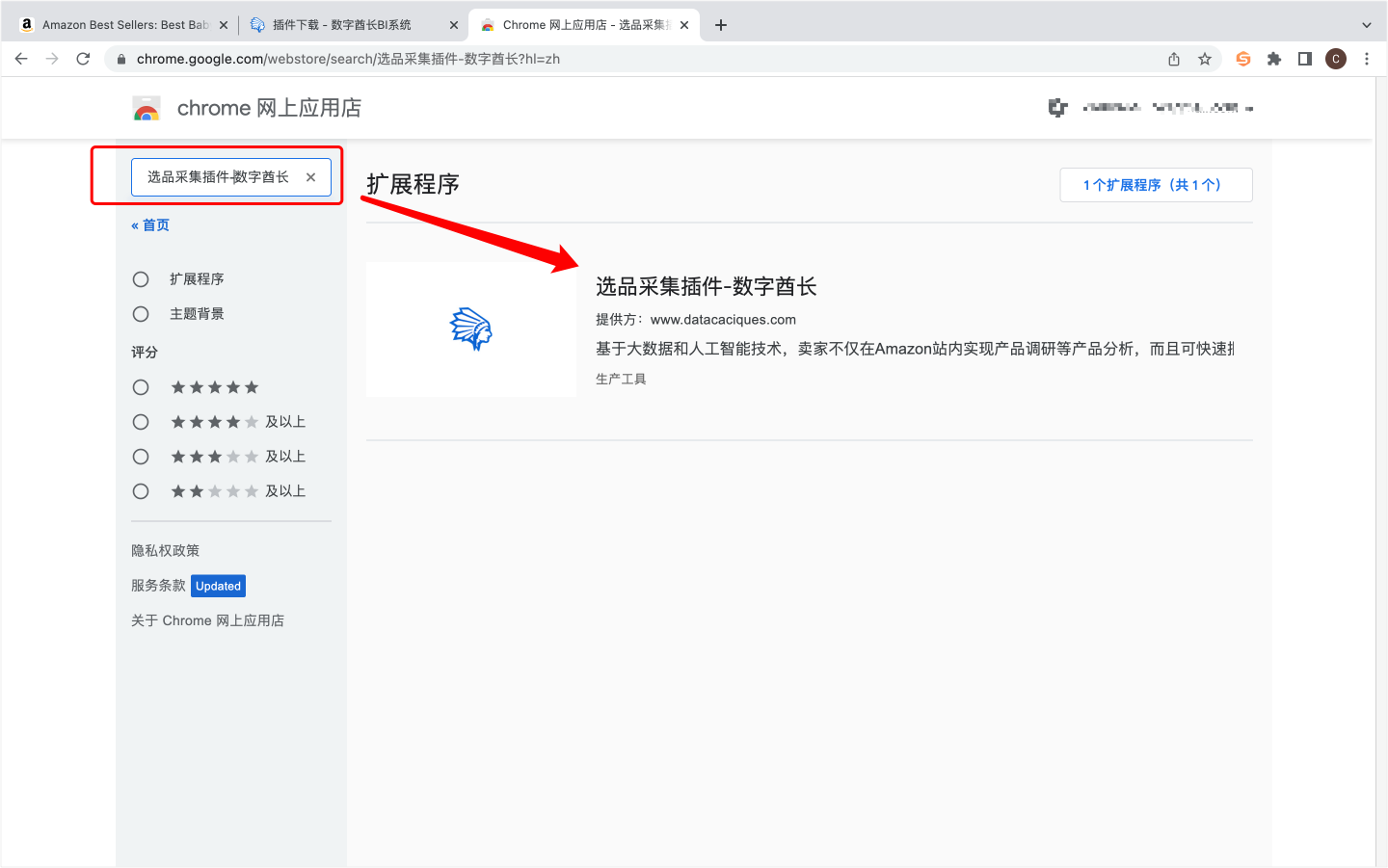
-
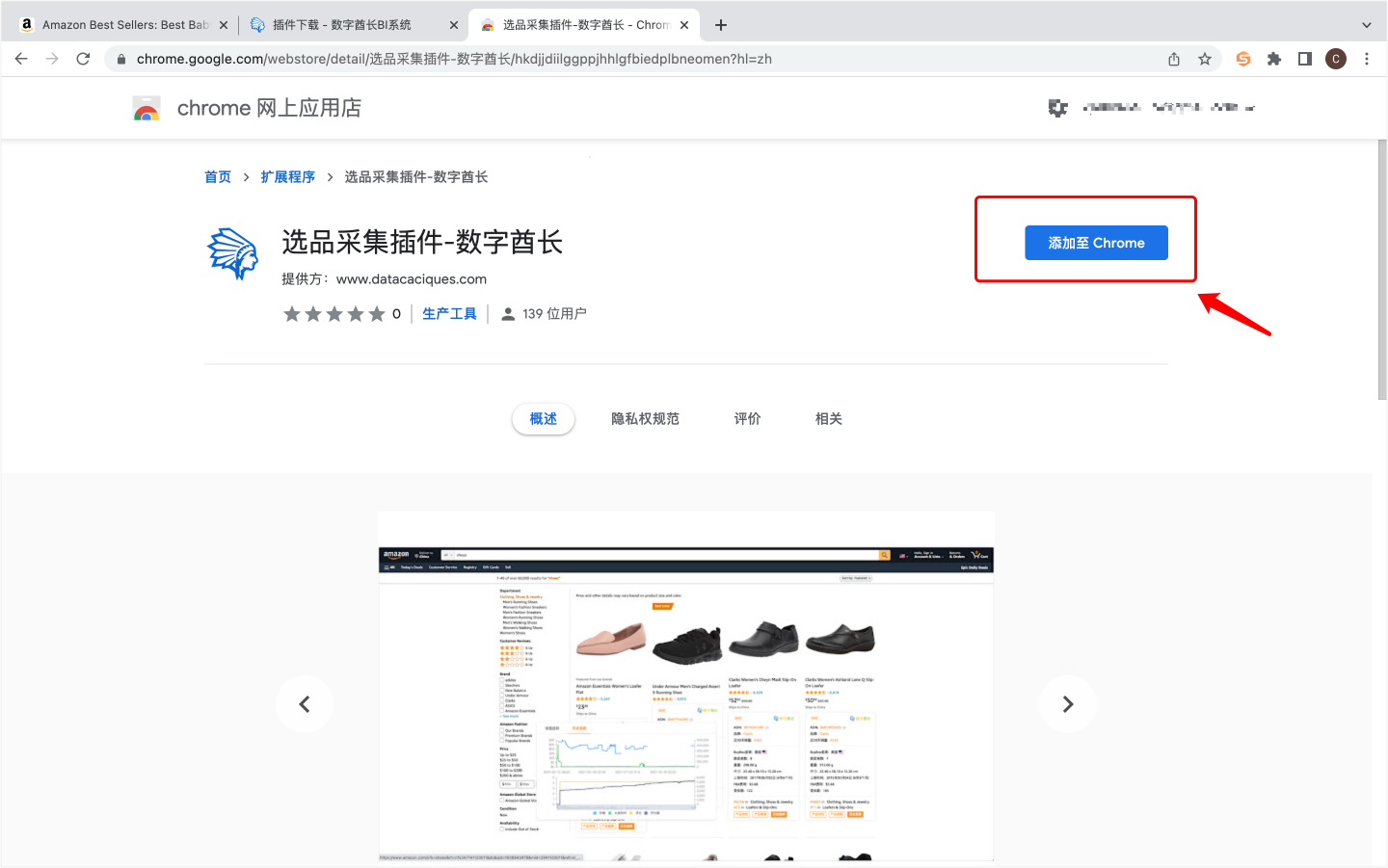
2. Click 'Add to Chrome' to install
-
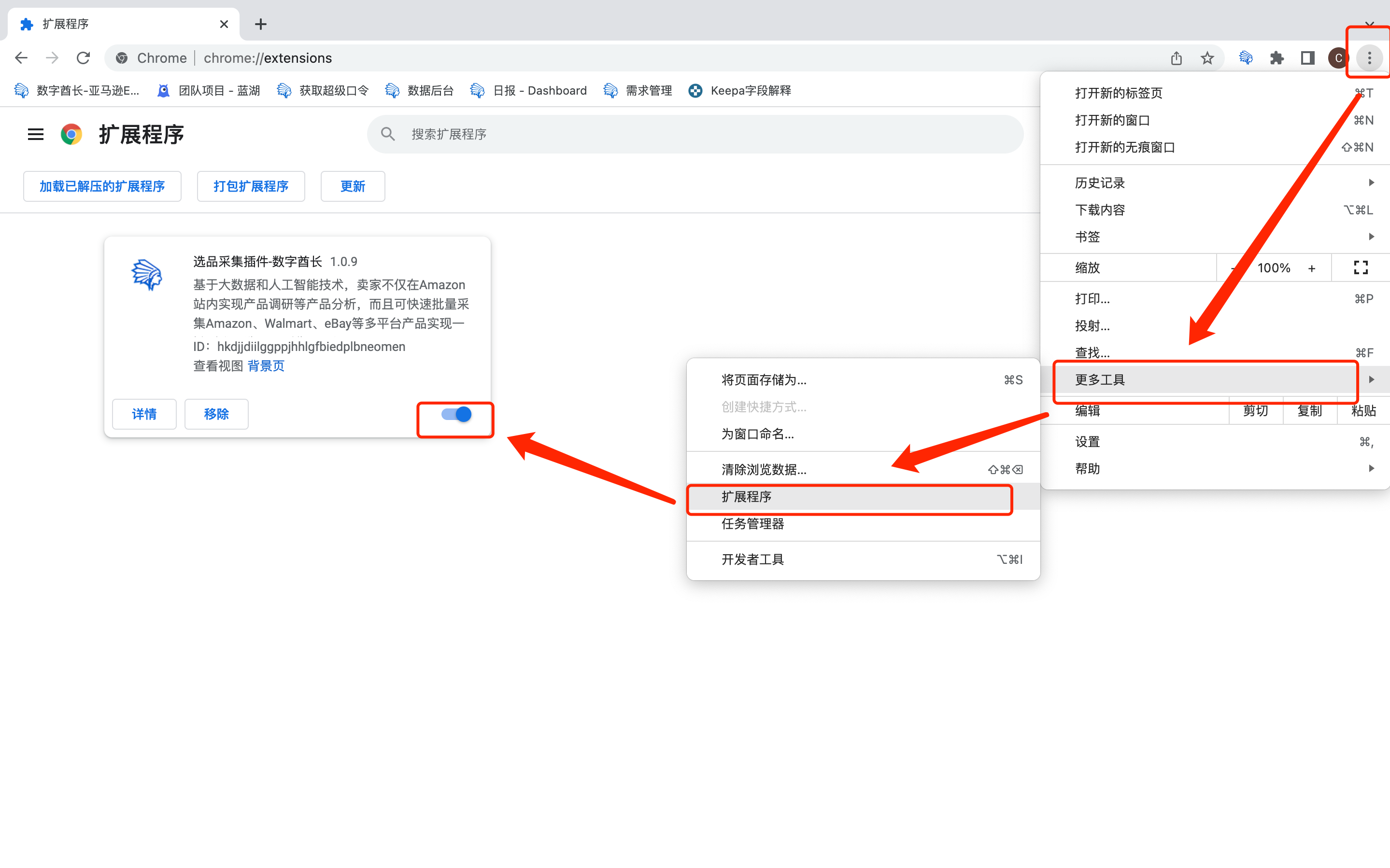
3. After successful installation, access the "Extensions" page to ensure the extension is enabled
-
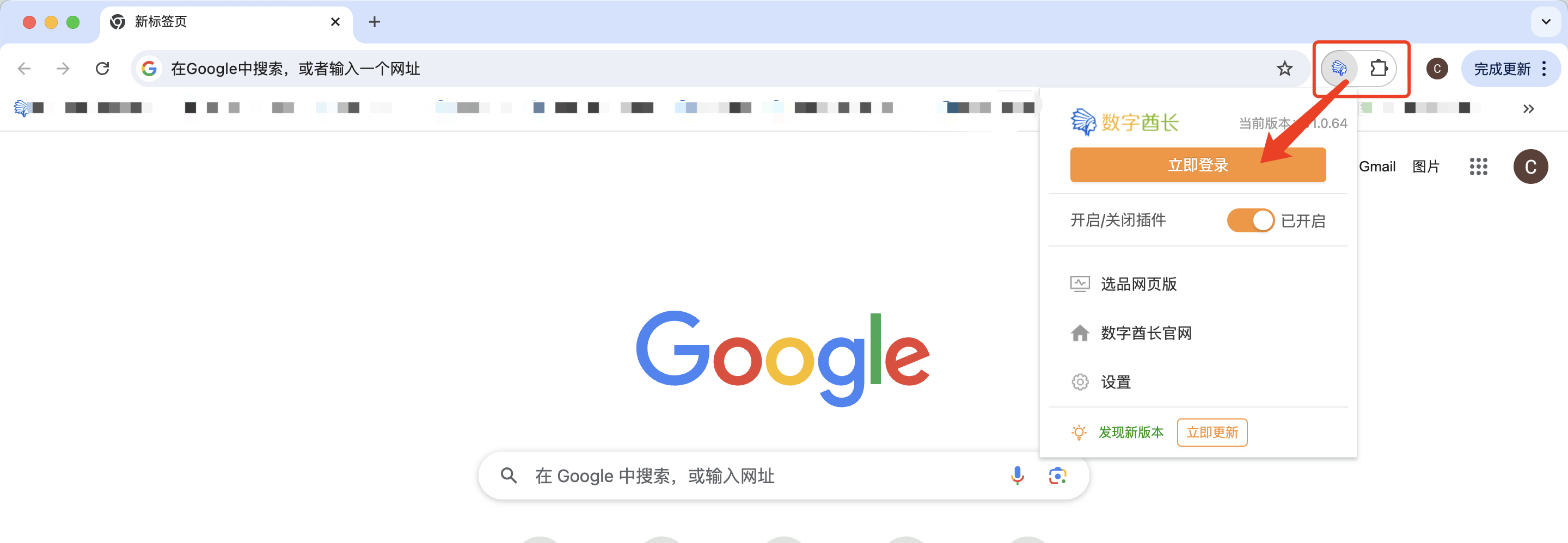
4. Click on the folder icon in the top right corner to find the haikantong extension, then log in to your haikantong account
-
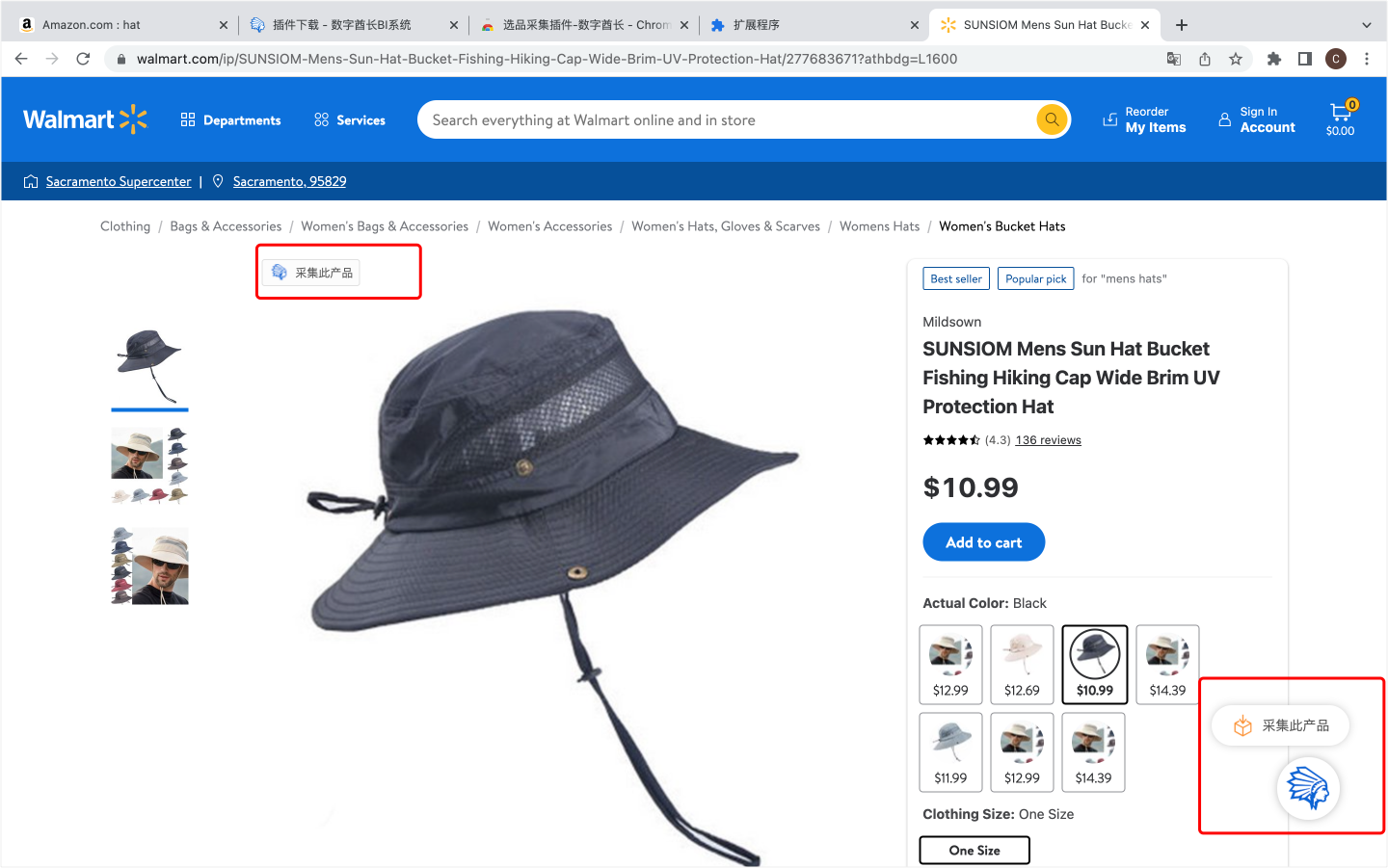
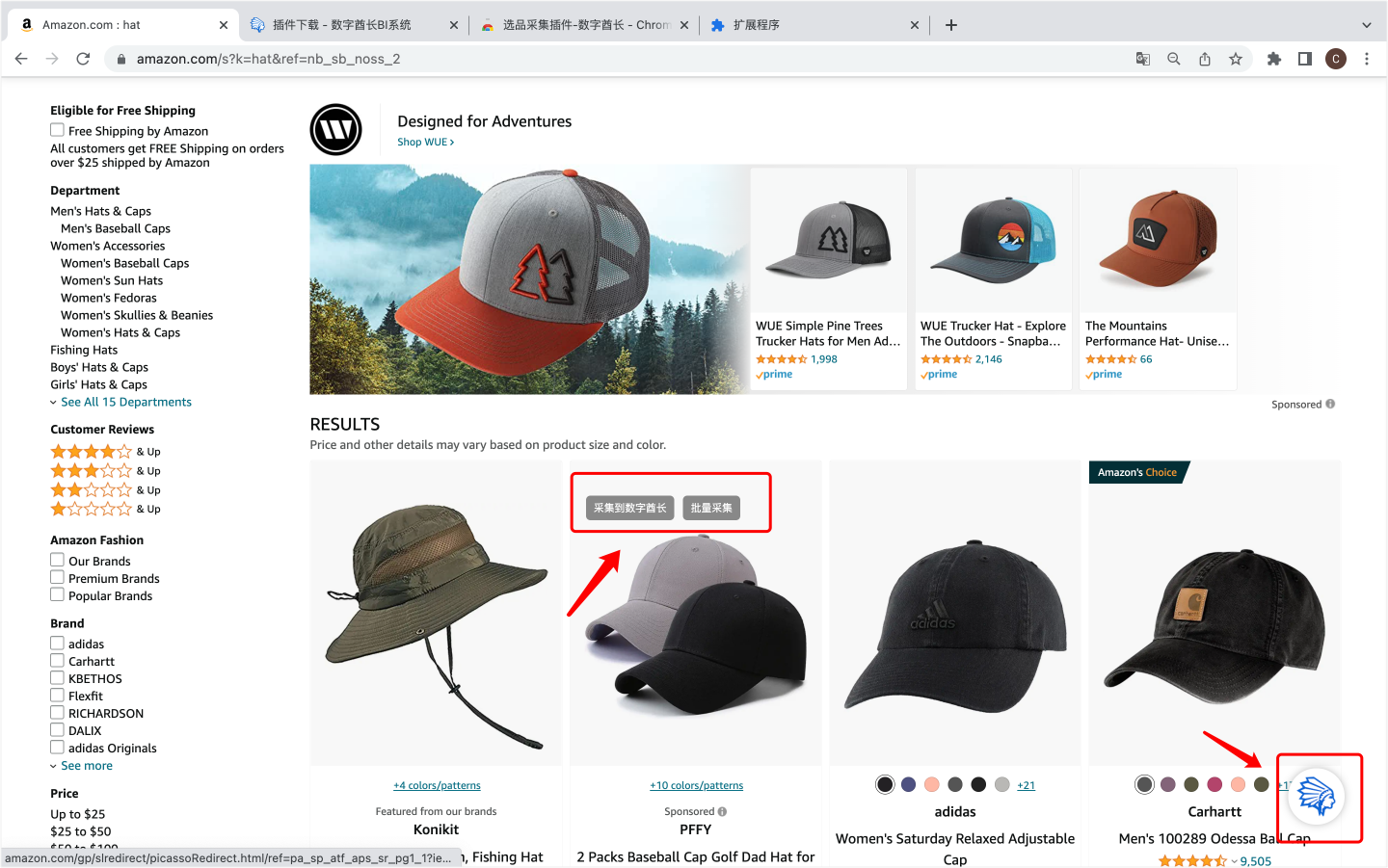
5. Bulk collection is available when searching product listings on marketplaces such as Amazon, Walmart, eBay, etc.
-
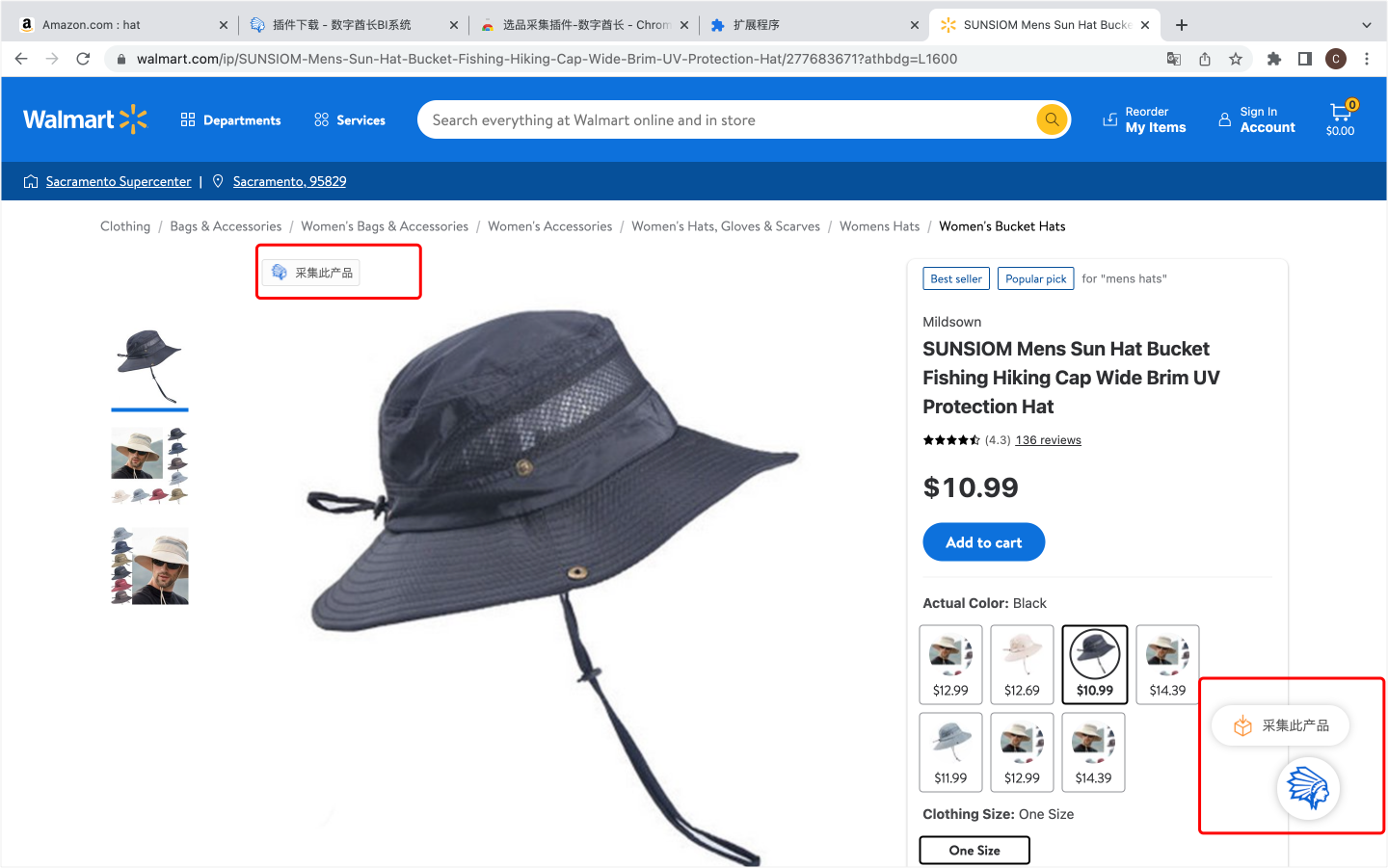
Single product scraping is available for listing interfaces on platforms such as Amazon, Walmart, eBay
-
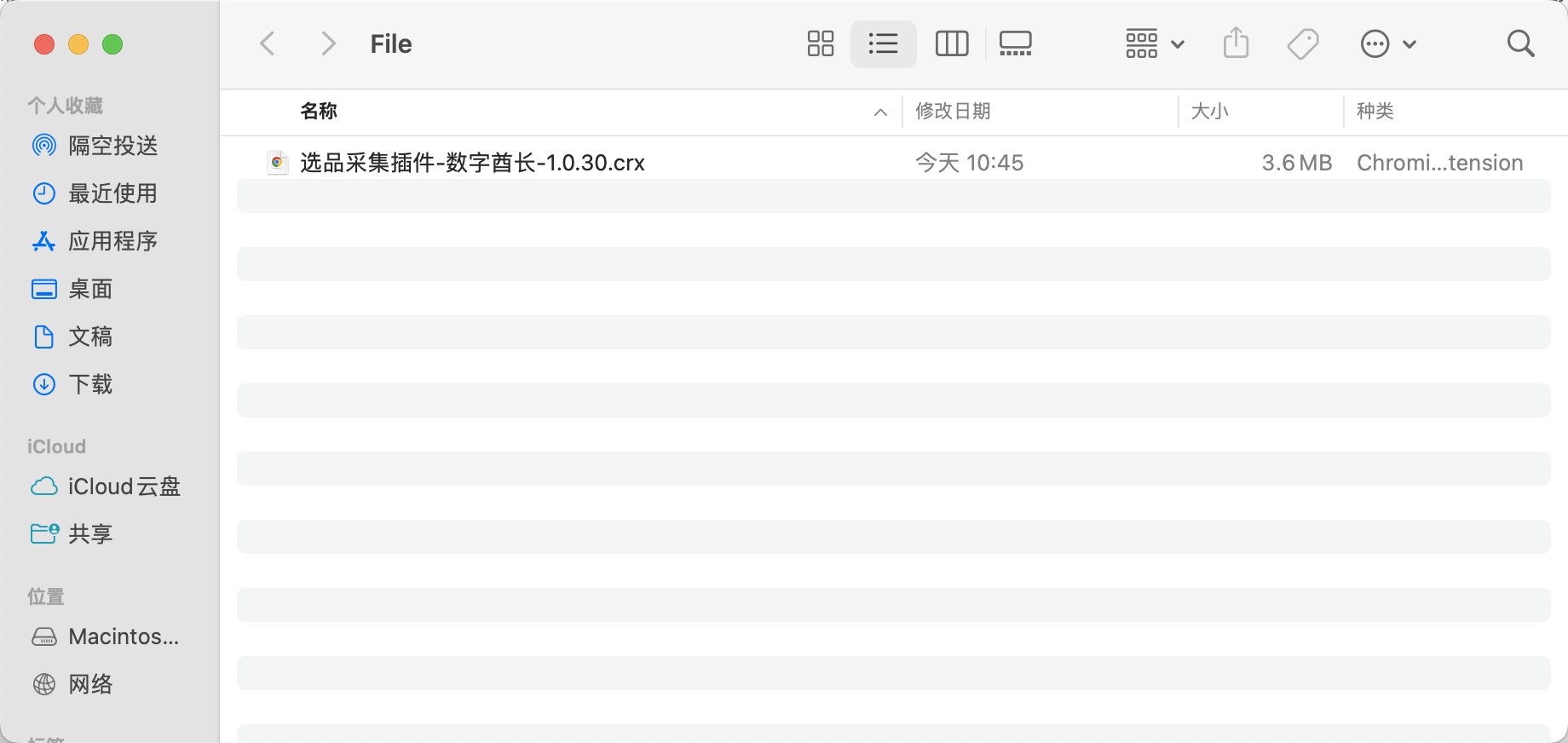
1. Download Product Research plugin compressed file
-
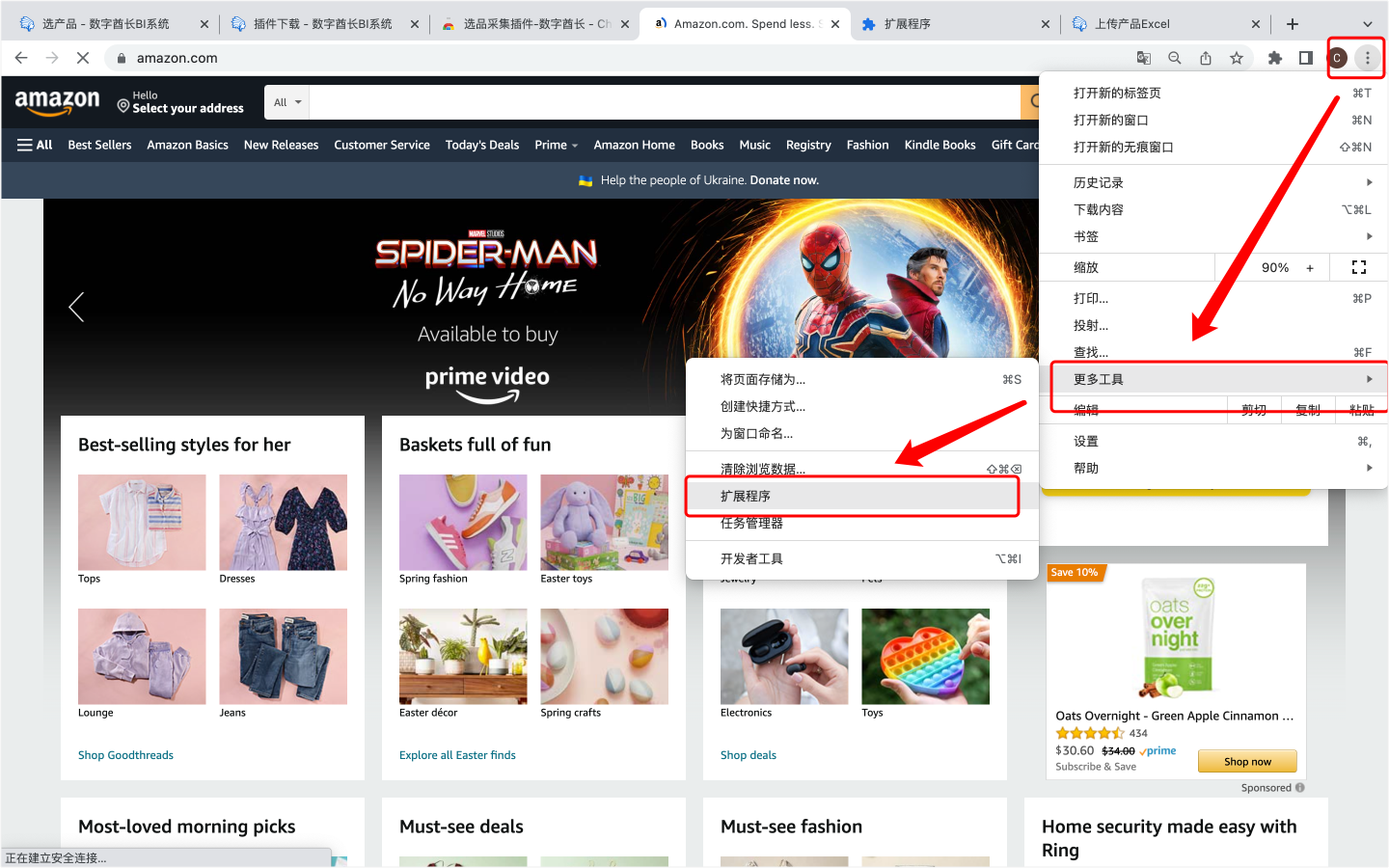
2. Go to the browser's "Extensions" page
-
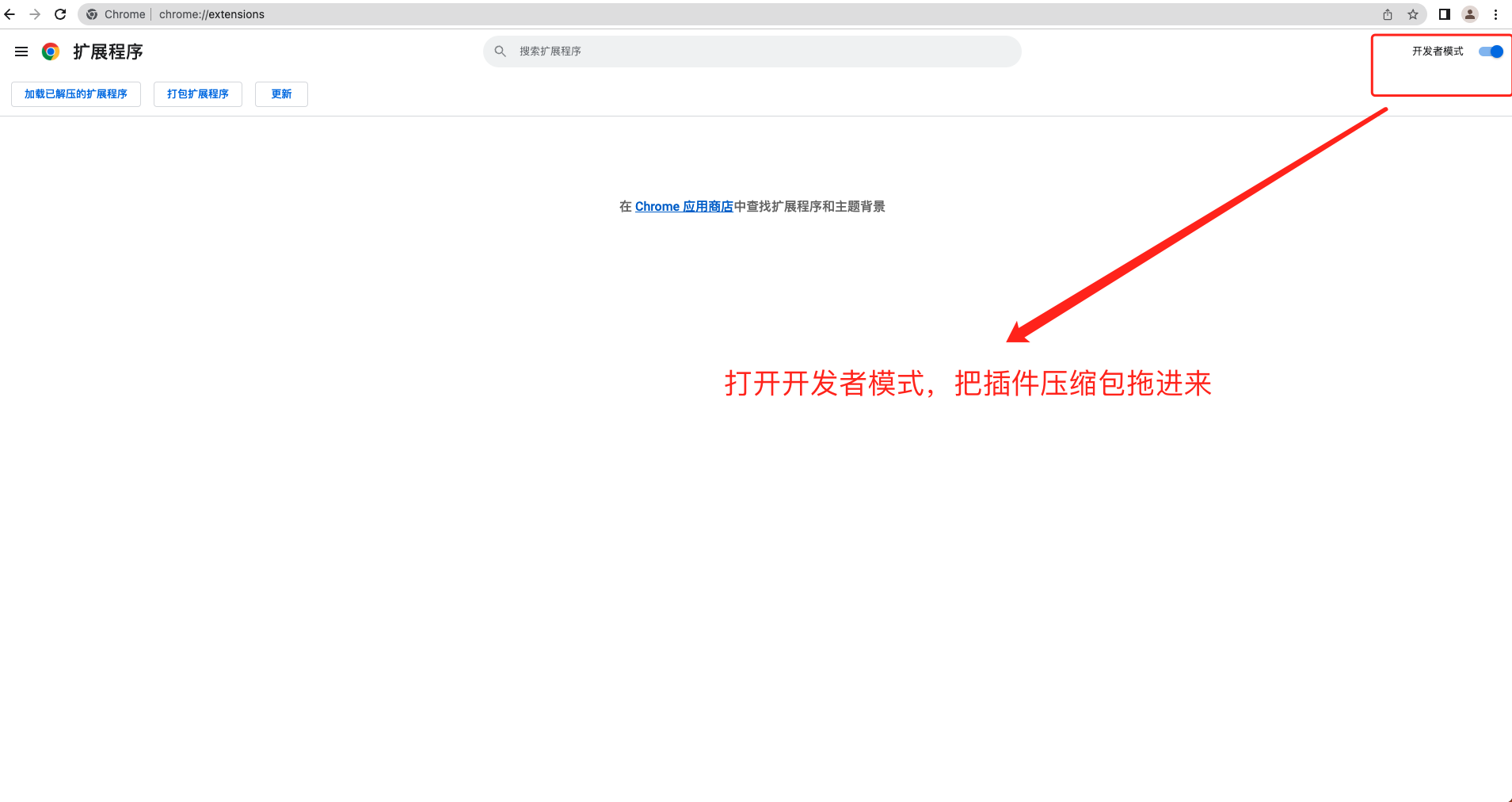
3. Turn on 'Developer mode' and drag the extension package into it
-
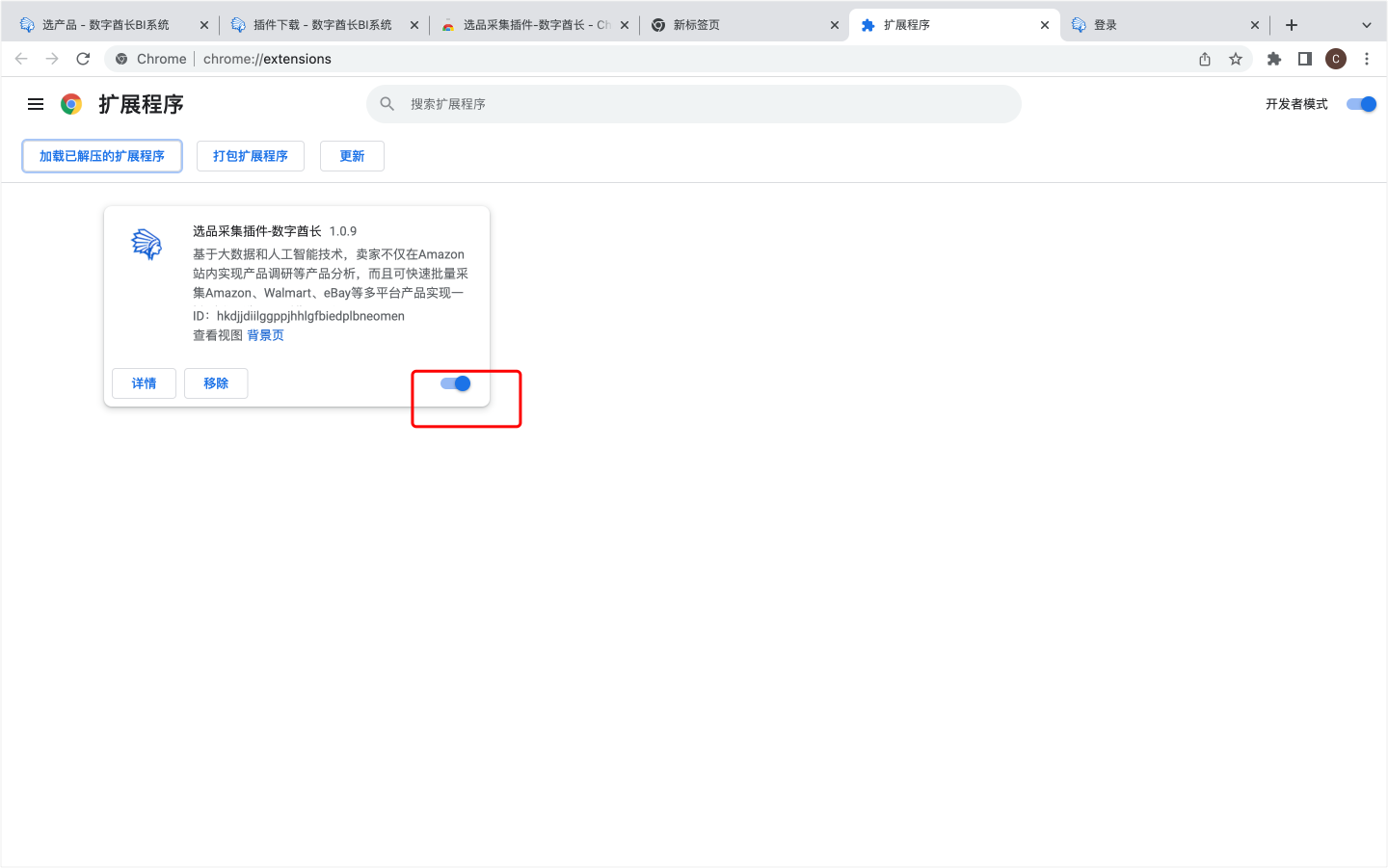
4. After successful installation, access the "Extensions" page to ensure the extension is enabled
-
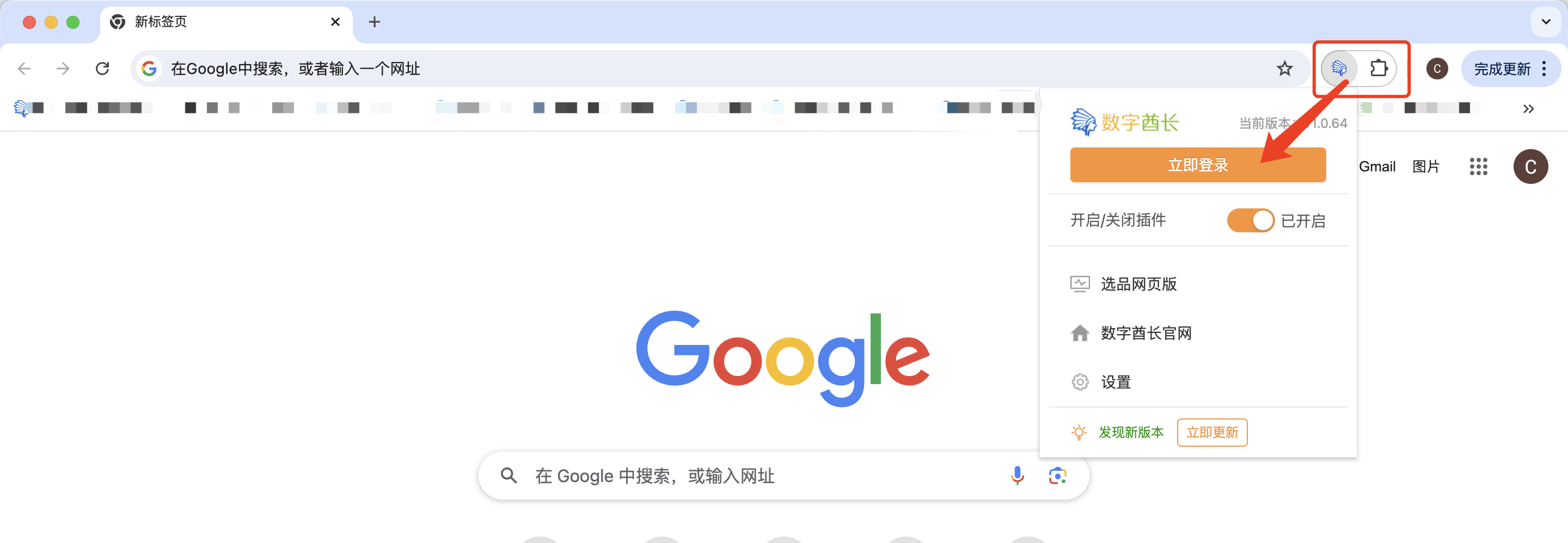
5. Click the folder icon in the upper right corner to find the haikantong extension, then click the extension to log in to your haikantong account
-
6. Batch scrape is ready when searching listings on channels such as Amazon, Walmart, eBay, etc.
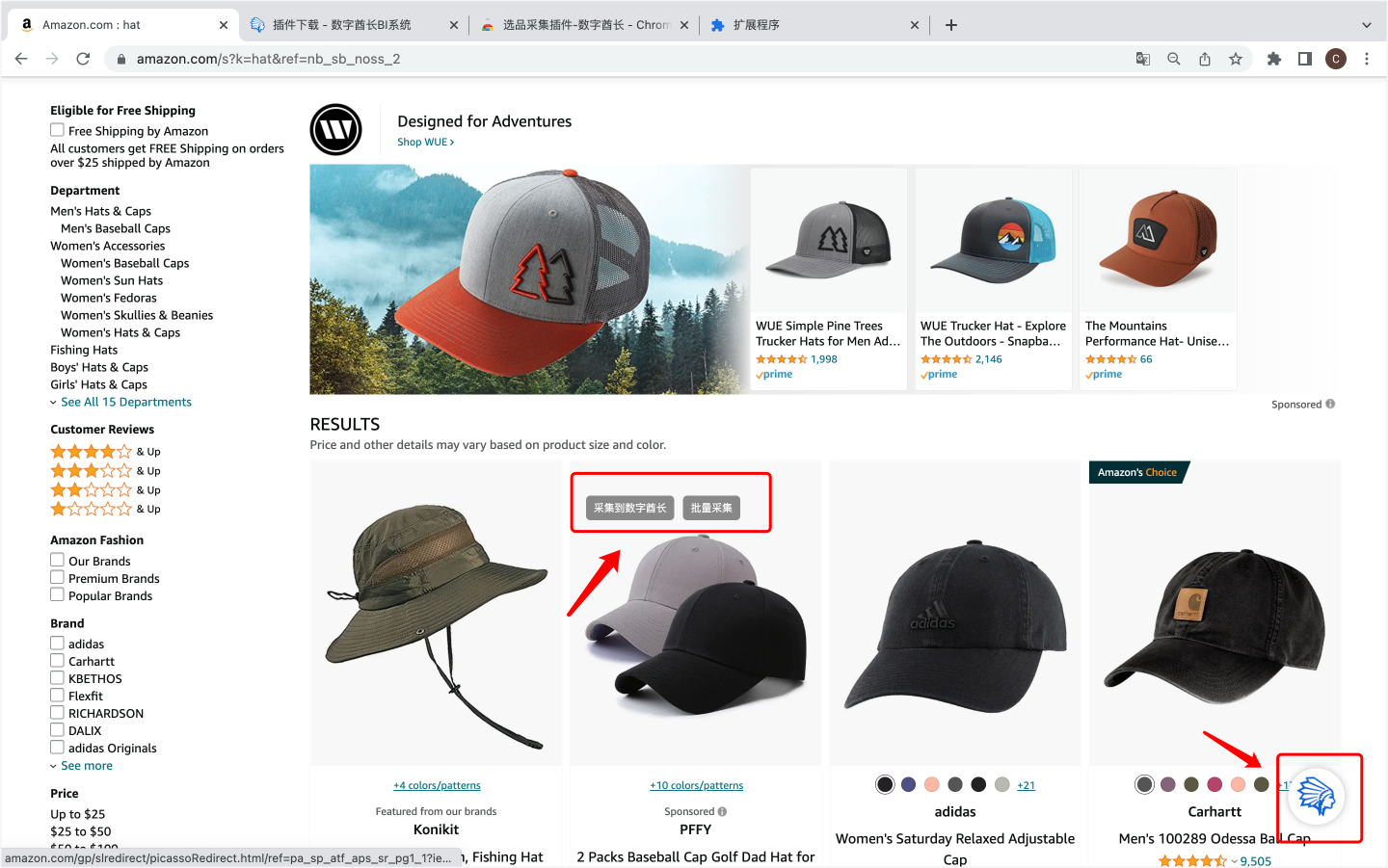
-
7. Scrape single items from channel such as Amazon, Walmart, eBay in the listing interface