
 ERP
ERP
 BI
BI Product Research
 eBay operations system












Upload file
Please upload an inventory file, and we will attempt to automatically recognize it
Note: There are 0 product Excel files pending & 0 listing Excel files pending


Walmart professional template for spreadsheet listing launched! AI auto-generates product attributes, boosting filling efficiency by an average of 1500%!
Upload type:
Select file:
Select file Only supports csv, xls, xlsx, Try to avoid special characters in file names, such as: "+"
Processing type: Update existing records based on SKU, create new if record does not exist
Image association
UploadUpload completeCancel upload
Only basic information is required for the spreadsheet. Product attributes vary by category, please add inEnable AI to generate product attributes in the spreadsheet or add in Products -> listing config Read the operation guide ﴲ
1. Download the Pro version spreadsheet
Option 1: Directly download the Pro spreadsheet templateOption 2: Go to the Scrape Products page and export directly to the Walmart Pro spreadsheet
(Export permissions need to be requested from the account manager)
(Export permissions need to be requested from the account manager)
Method 1: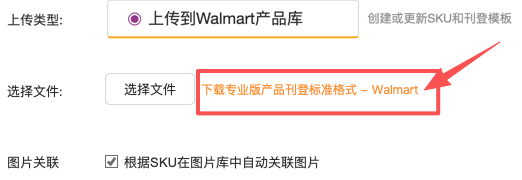 Method 2: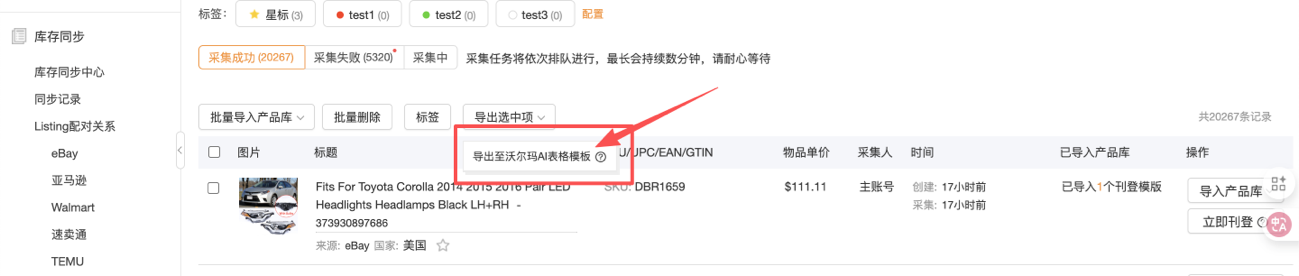
2. Complete the spreadsheet content
Please read the help content in the spreadsheet carefully to complete the creation. When using AI to generate product attributes, note:
- If using AI to generate attributes, enter "Yes" in the "Enable AI Generation" column and provide the collected product link or description in the "Source of Collection" column. Uncollected links will be skipped (not deducted from your quota)
- If AI is enabled but the "Source of Collection" is empty, the system will default to using the product title and description for generation.
- If a field in the "Product Attributes" column is manually filled, AI will retain that field and not overwrite it (for example: if Brand is filled as "Nike", the generated result will keep Brand as "Nike").
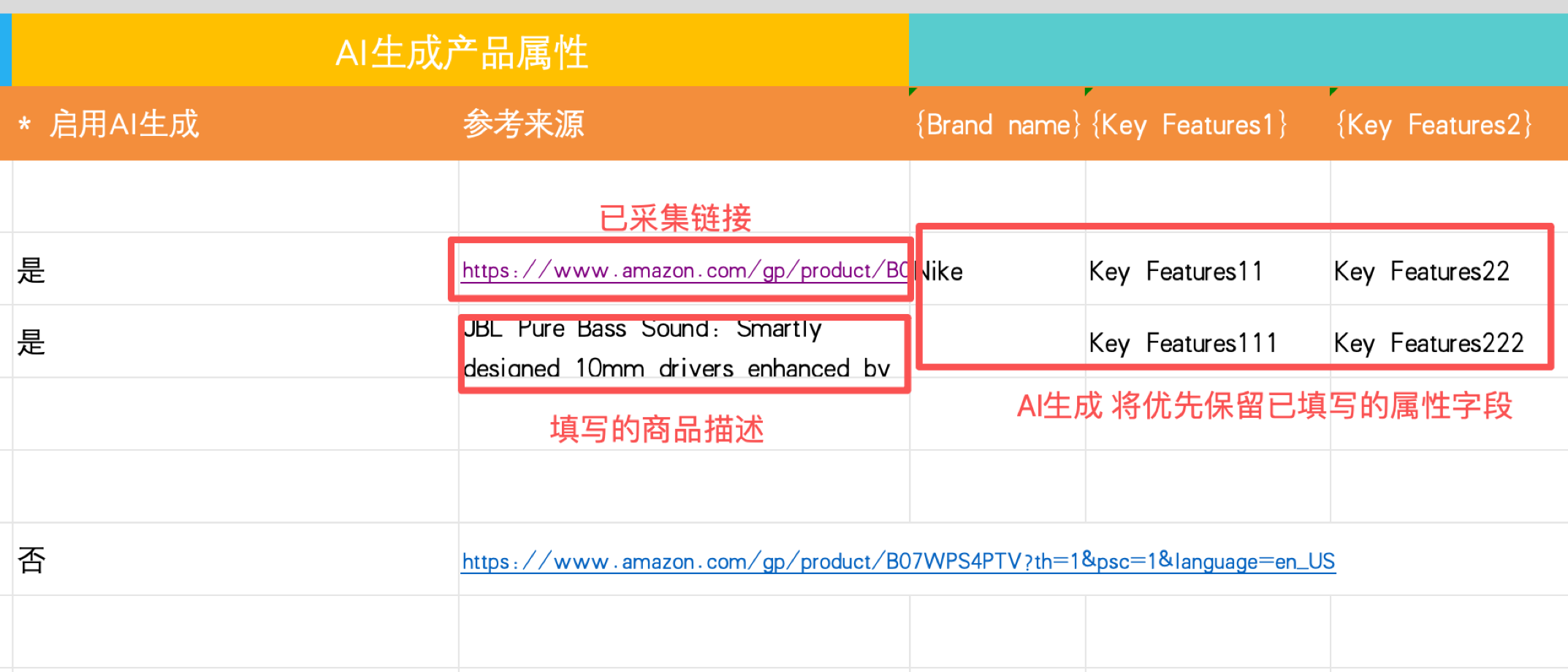
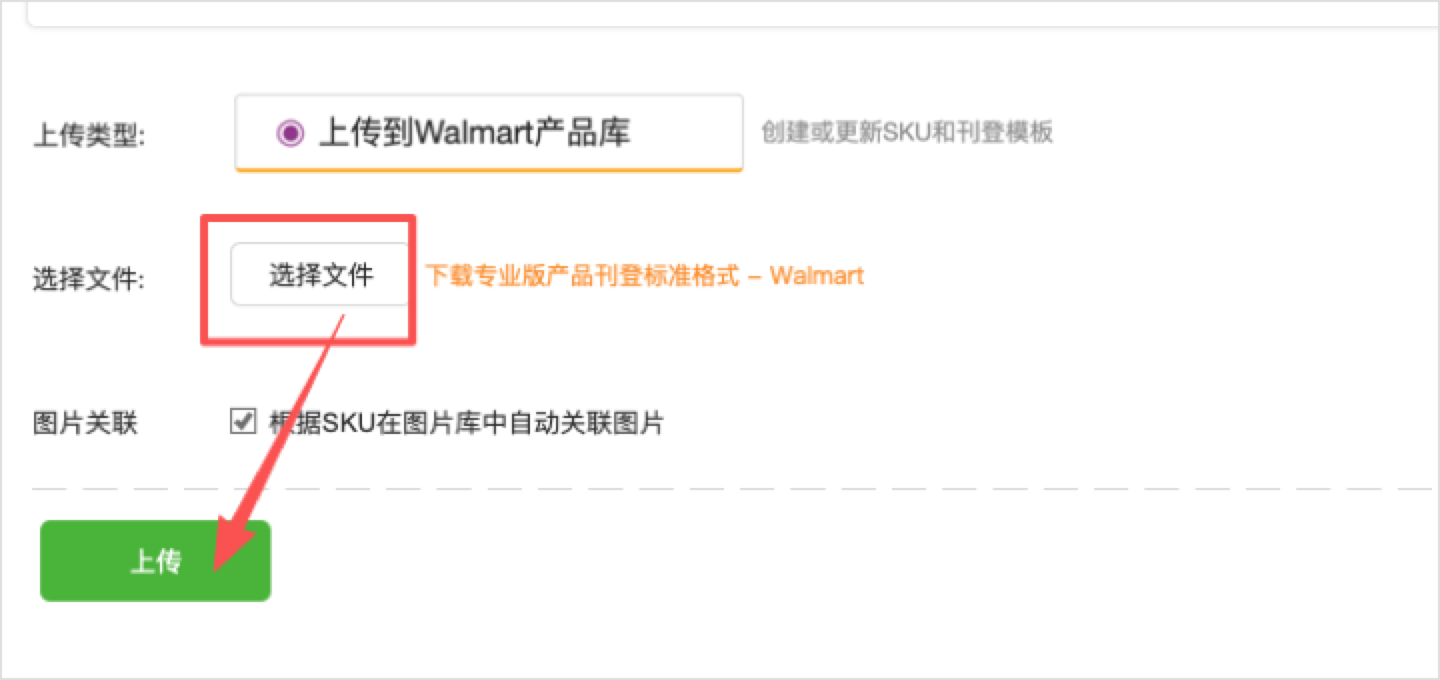
Upload spreadsheet
After filling out the spreadsheet, just upload it.
Check and list products imported from the spreadsheet
- After successful upload, go to Products to bulk list the imported items.
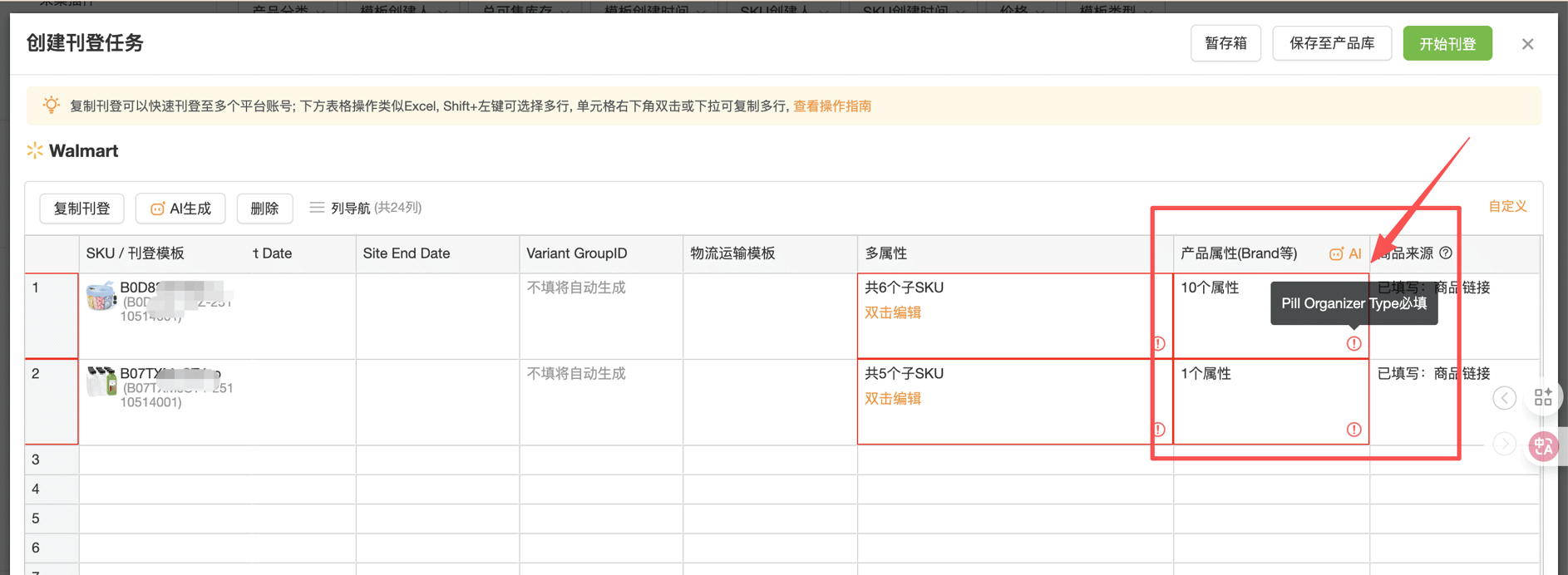
- Product attributes may vary between categories, please check and complete any missing attributes on the create listing page. If AI-generated, please verify that the content meets expectations.
(You can check each product under Products; however, we recommend checking and listing them on the bulk listing page for efficiency.)
Upload type: